FairScan
Documents, scanning and filesScan paper pages into PDFs with automatic detection, correction, on-device processing, and sharing in FairScan for Android.
By fairscan.org
Get FairScan
Store availability and purchase options can vary by country. Check the listing for your device.
Screenshots
Select a screenshot to enlarge it.
About FairScan
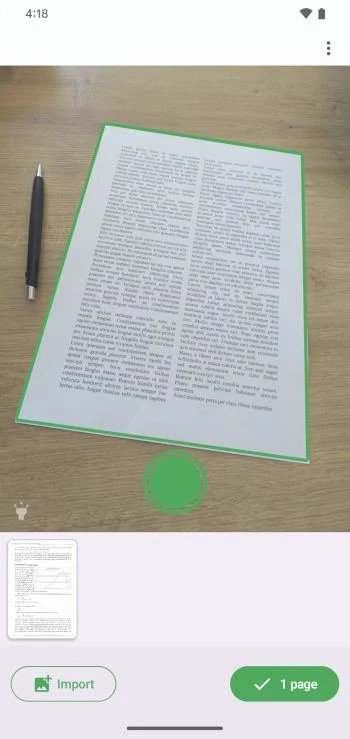
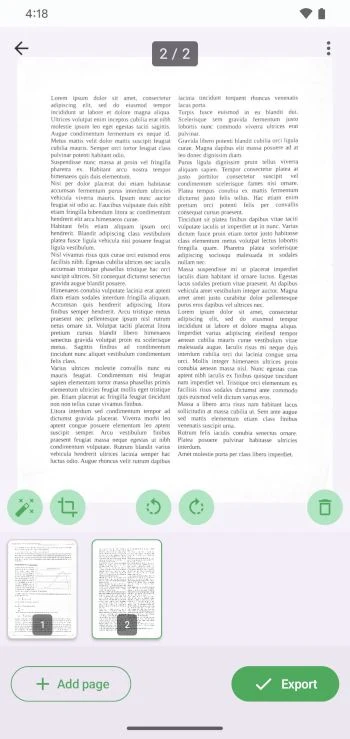
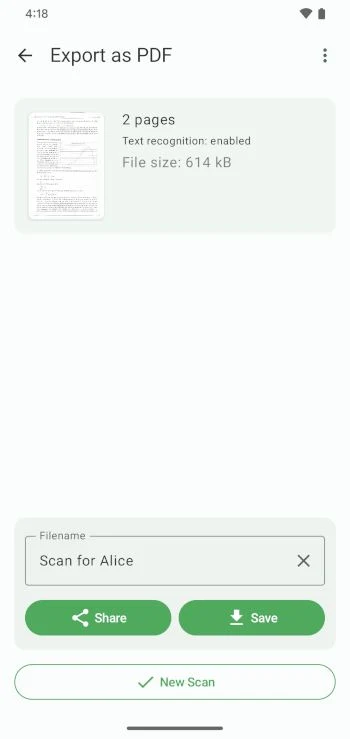
FairScan provides a short workflow for turning paper documents into PDFs on Android. Point the camera at a page, review the result when needed, then save or share the file. It supports multi-page documents and can also import an image.
The app detects page boundaries, corrects perspective, reduces shadows, and enhances the image automatically. Its OCR feature creates searchable PDFs when text is recognized. All processing happens on the device according to the publisher.
FairScan is free and open source. The publisher states that it has no ads, account, built-in cloud, watermark, or page limit. The app keeps its controls focused on scanning rather than a large editing workspace. Check the captured page and recognized text before sharing an important document.
What you can do
- Automatic document detection
- Perspective correction
- Multi-page PDF creation
- On-device OCR
- Save and share PDFs
Alternatives to FairScan


Choosing between apps
Image credits
App icon
FairScan app icon
Screenshot 1
Detect a paper page with the camera
Screenshot 2
Review pages in a multi-page scan
Screenshot 3
Name, save, and share the PDF