
Vivaldi
BrowsersBrowse with flexible tabs, bookmarks, notes and built-in tracker and ad-blocking controls on Android and iPhone.
By Vivaldi Technologies
Get Vivaldi
Some store links are awaiting a new identity or availability check.
Store availability and purchase options can vary by country. Check the listing for your device.
Screenshots
Select a screenshot to enlarge it.
About Vivaldi
Vivaldi puts several everyday browsing tools in one mobile browser. You can keep pages in tabs, organize bookmarks, make notes and use tracker and ad-blocking controls. The Android and iOS apps belong to the same Vivaldi product; their layouts and available controls can differ.
Browsing is free. A Vivaldi account is needed if you choose to sync browser data across devices, and web pages still need an internet connection. The iOS listing also includes reading lists for saved articles. Blocking rules can affect how a page works, so review them if a site fails to load properly.
What you can do
- Tab management
- Bookmarks and reading list
- Browser notes
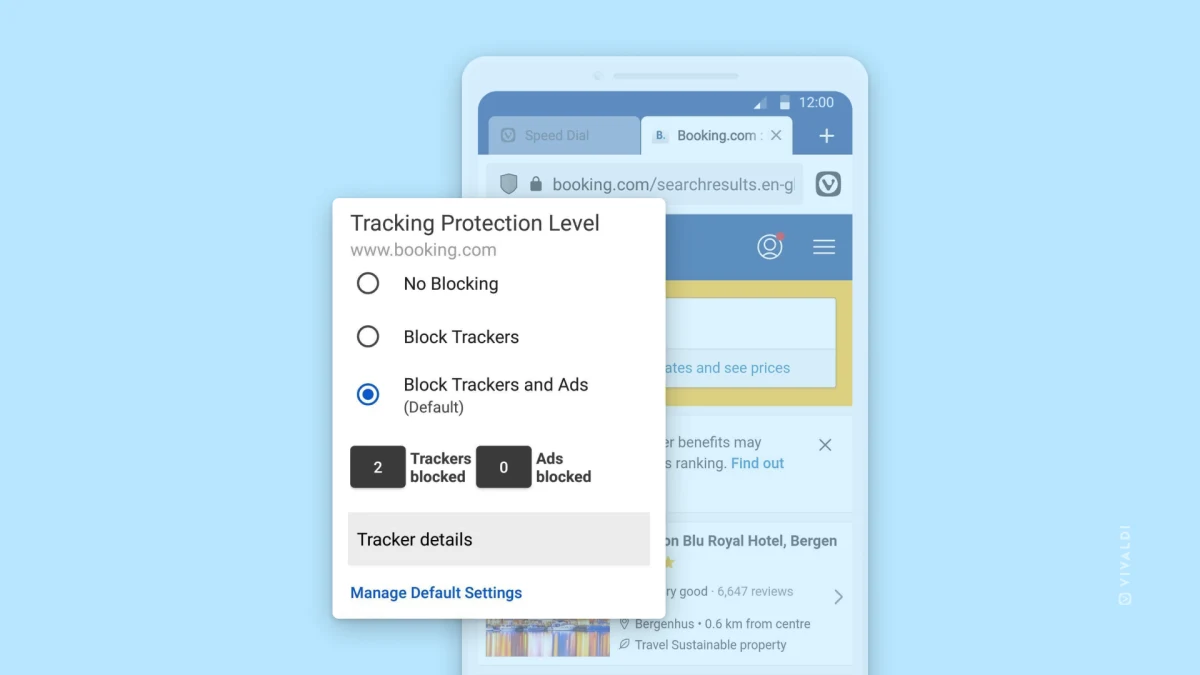
- Tracker and ad-blocking settings
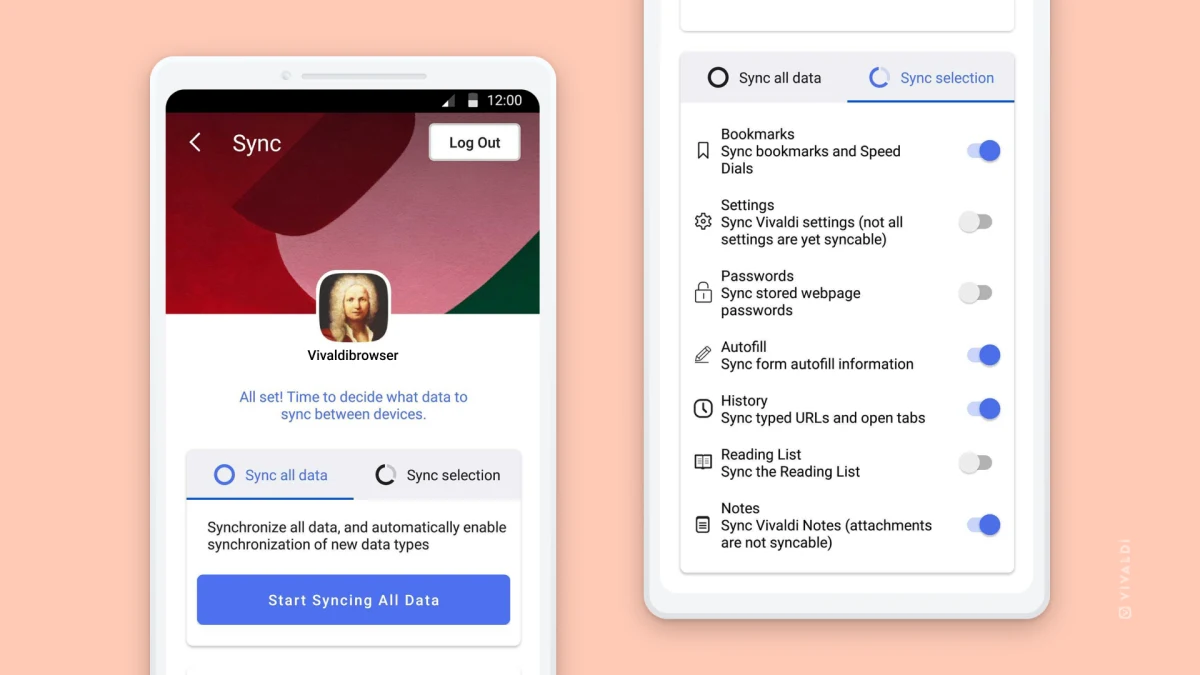
- Optional cross-device sync
Choosing between apps
Free Mobile Browsers for Tabs, Reading, and Blocking Controls
Choose between Android tab sessions, cross-device browser tools, and an iPhone browser with tab groups.
Vivaldi vs Fulguris: Android Browser Tools or Tab Sessions?
Compare Vivaldi's browser notes and optional sync with Fulguris's tab sessions and detailed layout settings.
Image credits
App icon
Screenshots and icon © Vivaldi Technologies, CC BY 4.0: https://creativecommons.org/licenses/by/4.0/. Original publisher press images are unchanged; display copies may be resized or re-encoded. Vivaldi trademarks belong to Vivaldi Technologies; no endorsement is implied.
Screenshot 1
Vivaldi for Android tracker- and ad-blocking controls.
Screenshots and icon © Vivaldi Technologies, CC BY 4.0: https://creativecommons.org/licenses/by/4.0/. Original publisher press images are unchanged; display copies may be resized or re-encoded. Vivaldi trademarks belong to Vivaldi Technologies; no endorsement is implied.
Screenshot 2
Vivaldi for Android sync sign-in and data-selection settings.
Screenshots and icon © Vivaldi Technologies, CC BY 4.0: https://creativecommons.org/licenses/by/4.0/. Original publisher press images are unchanged; display copies may be resized or re-encoded. Vivaldi trademarks belong to Vivaldi Technologies; no endorsement is implied.
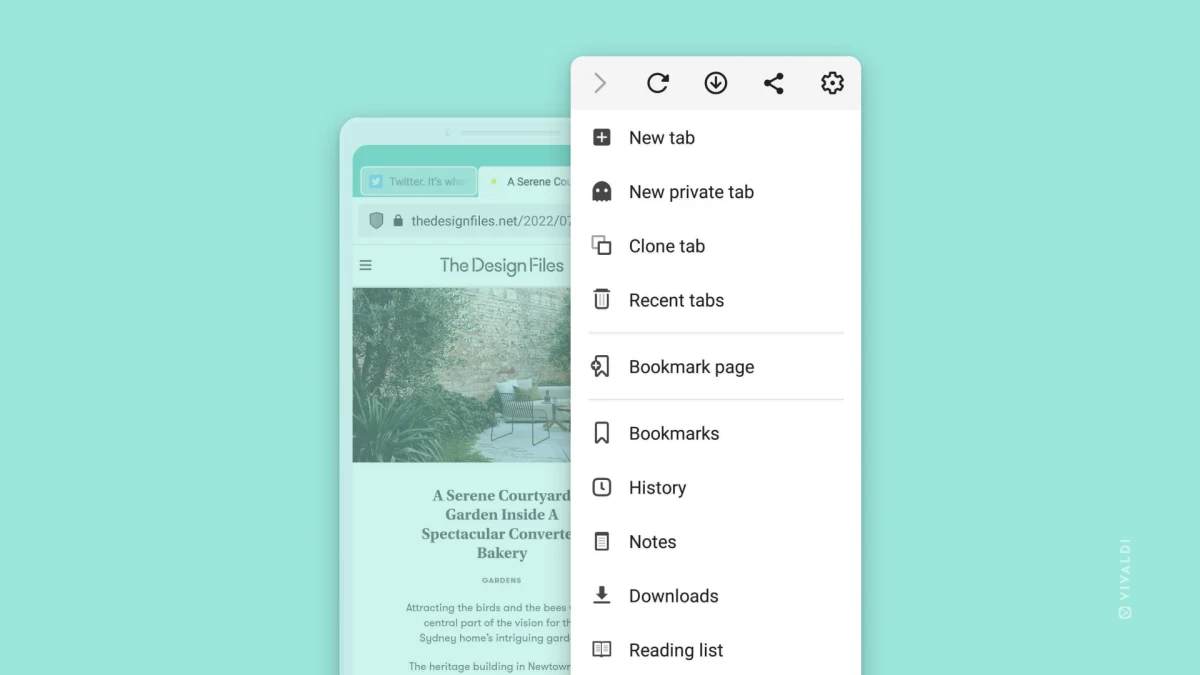
Screenshot 3
Vivaldi for Android main menu with bookmarks, notes and reading list.
Screenshots and icon © Vivaldi Technologies, CC BY 4.0: https://creativecommons.org/licenses/by/4.0/. Original publisher press images are unchanged; display copies may be resized or re-encoded. Vivaldi trademarks belong to Vivaldi Technologies; no endorsement is implied.