
Tor™ Browser
BrowsersBrowse through the Tor network on Android, with connection assistance and configurable bridge options.
By The Tor Project, Inc.
Get Tor™ Browser
Store availability and purchase options can vary by country. Check the listing for your device.
Screenshots
Select a screenshot to enlarge it.
About Tor™ Browser
Tor Browser for Android connects webpages through the Tor network’s relays. It can open ordinary websites and .onion addresses, with controls for configuring a connection before you browse.
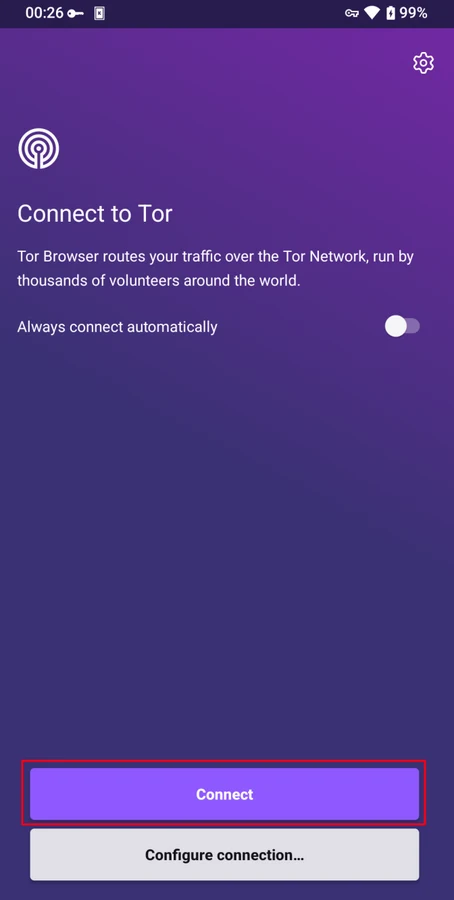
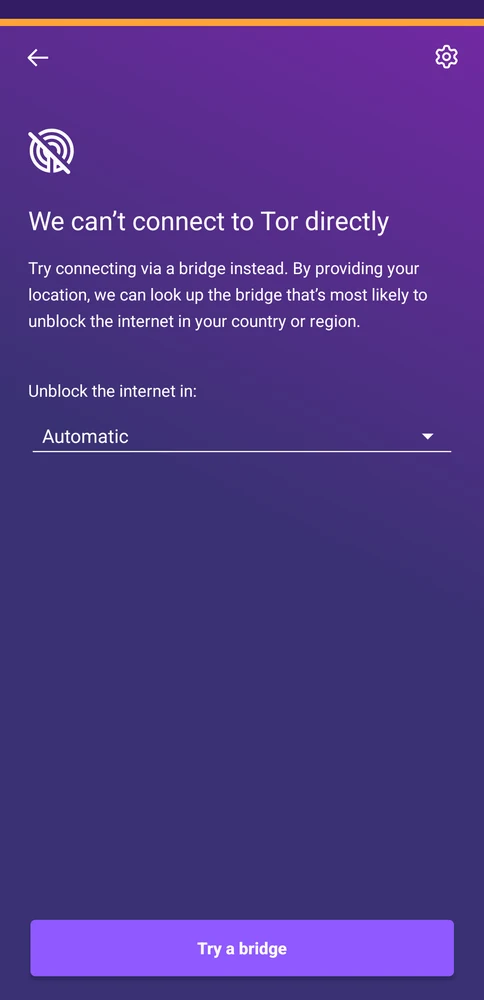
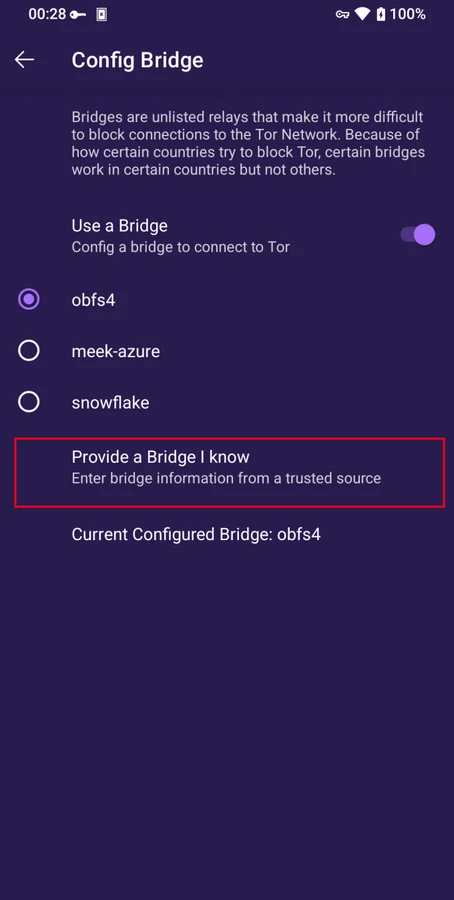
The connection screen lets you connect directly or choose automatic connection for future launches. When a direct connection fails, Connection Assist can try a bridge. The bridge panel provides other configuration choices, including entering a bridge address you already have. These options depend on your network and do not guarantee that every connection will succeed.
Standard, Safer and Safest security levels let you change which website features run. Higher levels can disable scripts, media and other page features, so some sites may work differently. The Android app is free, and it needs an internet connection to use the Tor network.
What you can do
- Tor network browsing
- Automatic connection and Connection Assist
- Configurable bridge options
- Standard, Safer and Safest security levels
- Support for .onion addresses
Free features and limits
Stricter security levels can disable website features. Connection choices and available bridges depend on the network and app version.
Image credits
App icon
© The Tor Project, Inc. Website images: CC BY 4.0. Tor™ is a trademark of The Tor Project; all rights reserved. WapTRICK is not endorsed or sponsored by, or affiliated with, The Tor Project. Official Tor website: https://www.torproject.org/. Images unchanged; display copies may be resized or re-encoded.
Screenshot 1
Publisher Android manual view of Tor Browser’s connection screen.
© The Tor Project, Inc. Website images: CC BY 4.0. Tor™ is a trademark of The Tor Project; all rights reserved. WapTRICK is not endorsed or sponsored by, or affiliated with, The Tor Project. Official Tor website: https://www.torproject.org/. Images unchanged; display copies may be resized or re-encoded.
Screenshot 2
Publisher Android manual view of Connection Assist and its region selector.
© The Tor Project, Inc. Website images: CC BY 4.0. Tor™ is a trademark of The Tor Project; all rights reserved. WapTRICK is not endorsed or sponsored by, or affiliated with, The Tor Project. Official Tor website: https://www.torproject.org/. Images unchanged; display copies may be resized or re-encoded.
Screenshot 3
Earlier publisher Android manual view of bridge configuration; available options can vary by version.
© The Tor Project, Inc. Website images: CC BY 4.0. Tor™ is a trademark of The Tor Project; all rights reserved. WapTRICK is not endorsed or sponsored by, or affiliated with, The Tor Project. Official Tor website: https://www.torproject.org/. Images unchanged; display copies may be resized or re-encoded.