
Next Player
Audio, podcasts and readingPlay local videos on Android with folder browsing, playback-speed controls, subtitles and picture in picture.
By Anil Kumar Beesetti
Get Next Player
Store availability and purchase options can vary by country. Check the listing for your device.
Screenshots
Select a screenshot to enlarge it.
About Next Player
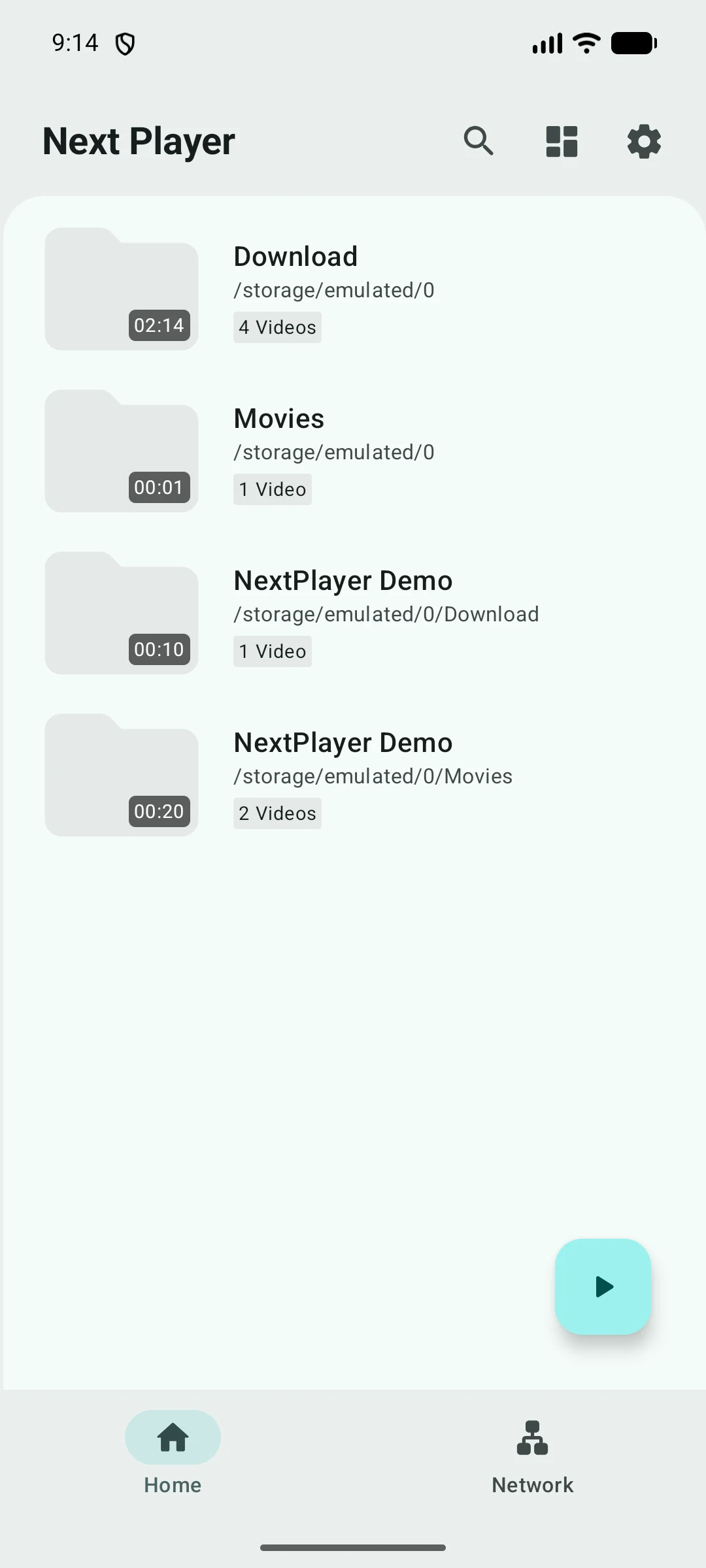
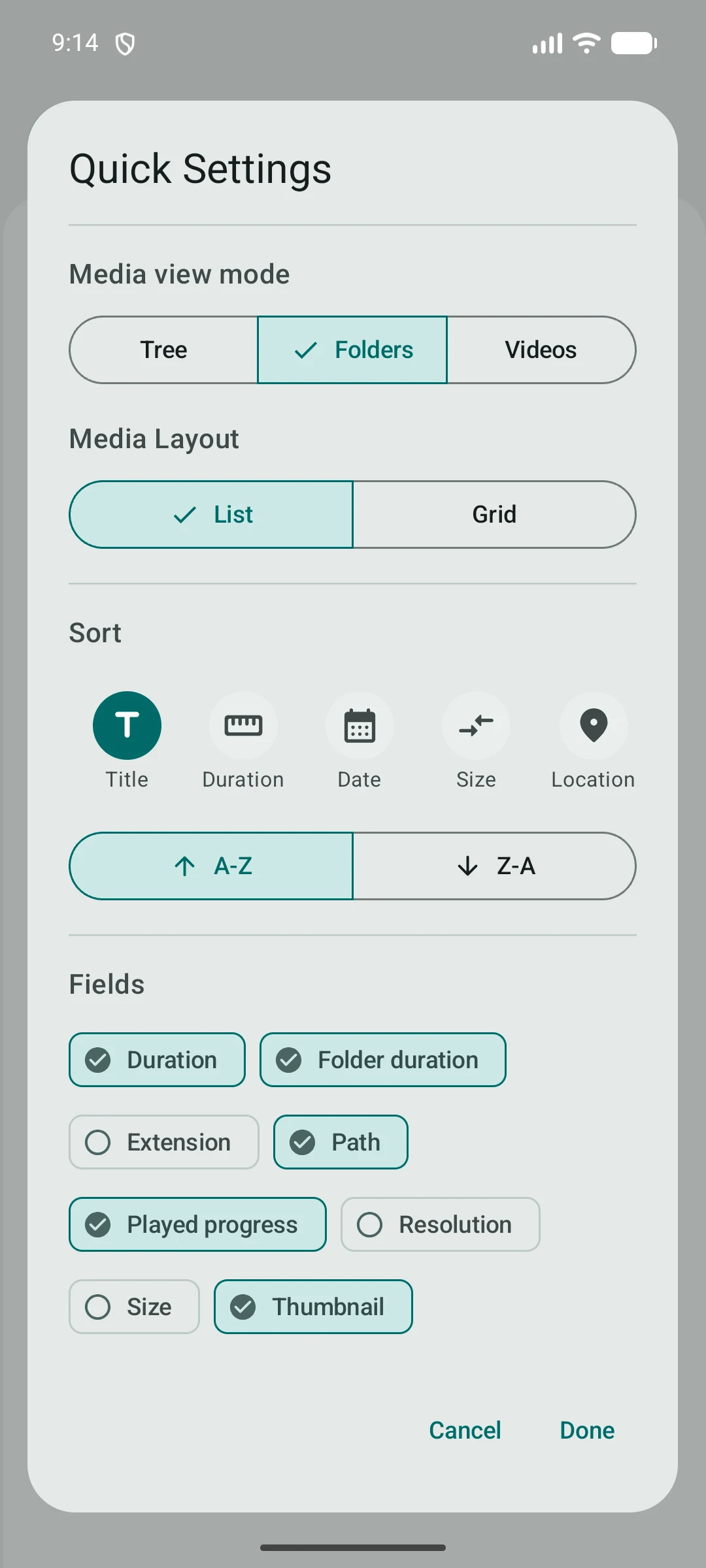
Next Player is a free Android video player for files on your device. Its media browser offers folder, tree and movie views, plus list or grid layouts. Quick Settings lets you sort videos and choose which details appear beside each file, such as duration, size or playback progress.
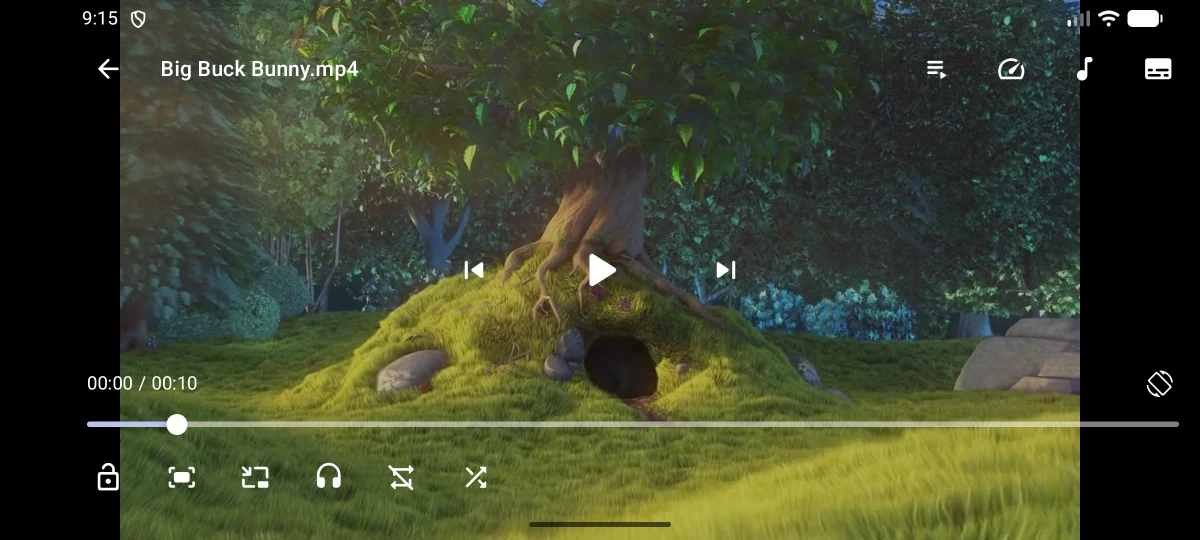
The player supports playback-speed control, pinch to zoom, audio and subtitle track selection, and external subtitle files. Swipe vertically to adjust brightness or volume and horizontally to seek through a video. Picture in picture lets playback stay visible while you use another app, where your device supports it. You can also open a video URL or connect to network storage.
The publisher offers Next Player without ads or a paid feature tier. Video format support depends on your device, and the publisher describes the app as still in development. Local playback works offline; streaming URLs and network storage need a connection.
What you can do
- Local video playback and folder browsing
- List and grid layouts with sorting
- Playback speed and swipe controls
- Audio and subtitle track selection
- External subtitle support
- Picture in picture
- Video URLs and network storage
Image credits
App icon
Next Player native icon by Anil Kumar Beesetti and contributors, GPL 3.0. Original publisher icon unchanged; display copies may be resized or re-encoded. Full licence and pinned source available. Independent identification; no endorsement.
Screenshot 1
Next Player Android folder library, showing local video folders in the publisher’s original phone screenshot.
Next Player by Anil Kumar Beesetti and contributors, GPL 3.0. Original publisher Android view unchanged; display copies may be resized or re-encoded. Full licence and pinned source image available. Independent app description; no endorsement.
Screenshot 2
Next Player Android landscape playback controls over a Big Buck Bunny frame, in the publisher’s original screenshot.
Next Player by Anil Kumar Beesetti and contributors, GPL 3.0. Original publisher Android view unchanged; display copies may be resized or re-encoded. Full licence and pinned source image available. Independent app description; no endorsement. (c) copyright 2008, Blender Foundation / www.bigbuckbunny.org. Big Buck Bunny film frame: CC BY 3.0, https://creativecommons.org/licenses/by/3.0/.
Screenshot 3
Next Player Android Quick Settings for folder or movie views, list or grid layout, sorting and displayed fields, in the publisher’s original screenshot.
Next Player by Anil Kumar Beesetti and contributors, GPL 3.0. Original publisher Android view unchanged; display copies may be resized or re-encoded. Full licence and pinned source image available. Independent app description; no endorsement.