
Ceno Browser
BrowsersBrowse on Android with peer-to-peer content sharing, public and personal modes, cache controls and optional bridge mode.
By eQualitie
Get Ceno Browser
Store availability and purchase options can vary by country. Check the listing for your device.
Screenshots
Select a screenshot to enlarge it.
About Ceno Browser
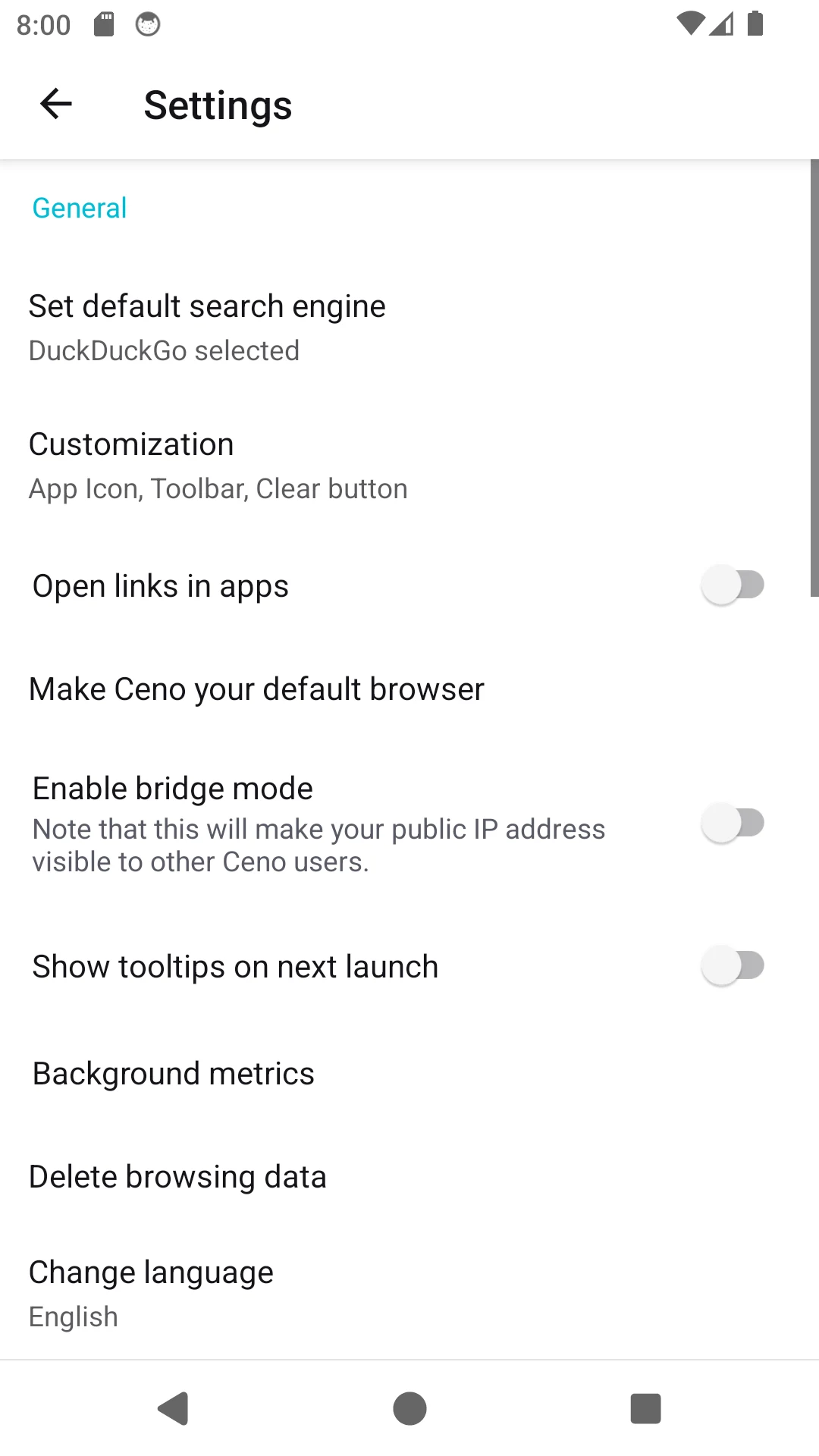
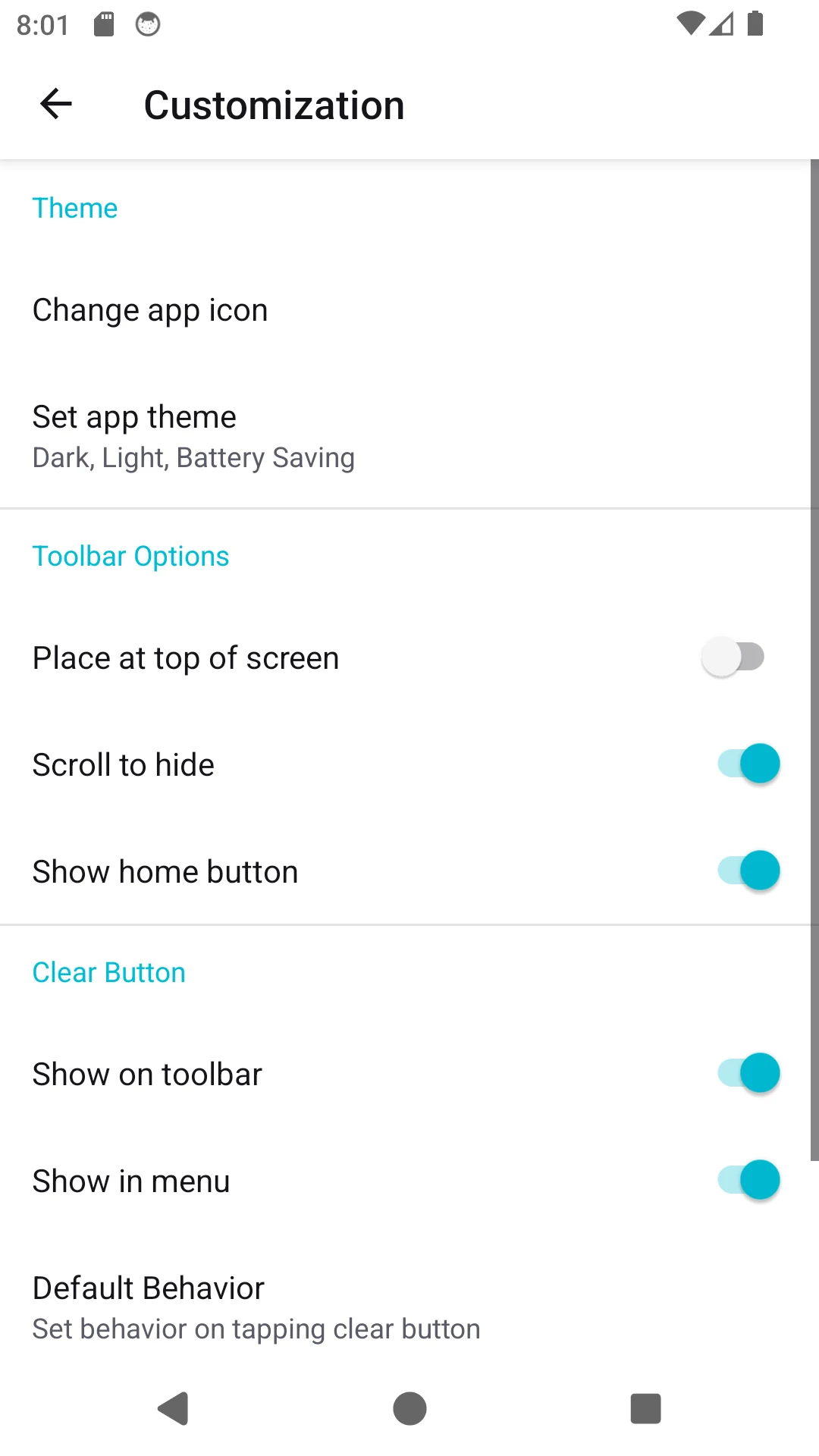
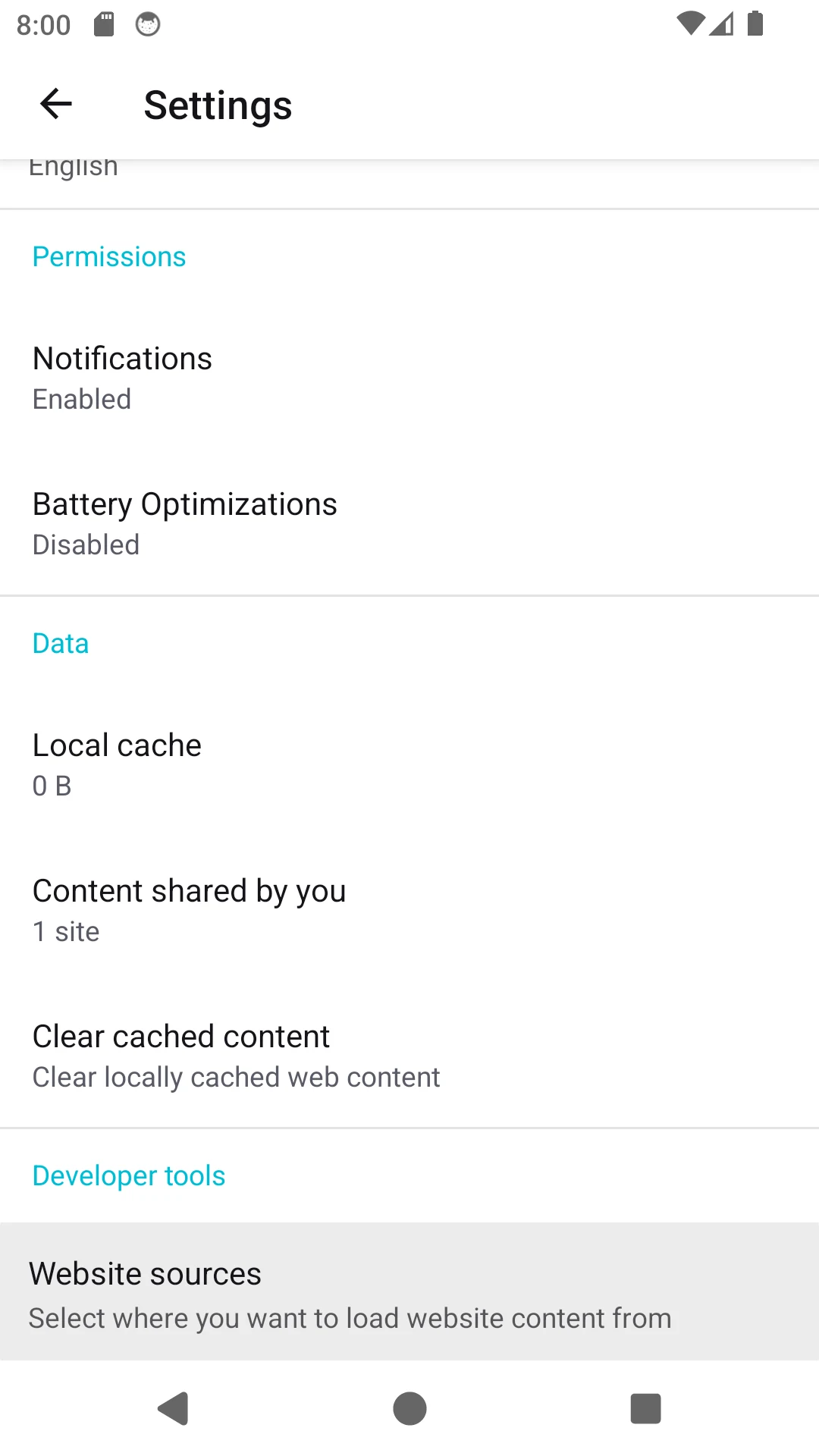
Ceno is an Android browser from eQualitie that uses a peer-to-peer network to retrieve and share web content. It is designed for situations where ordinary access to websites is disrupted. Native settings let you choose a search engine, manage cached content, customize the toolbar and enable bridge mode to help other users retrieve pages.
The app is free and does not require a login. Its public mode can cache and share the pages you visit, and the publisher warns that those visits are recorded in a public registry. Personal mode avoids that record but can be slower or less effective at retrieving content. These modes are worth understanding before browsing sensitive pages. The publisher also documents optional background metrics that users can disable in settings.
What you can do
- Public and personal browsing modes
- Peer-to-peer content sharing
- Local cache controls
- Optional bridge mode
- Toolbar and theme settings
Free features and limits
Public and personal modes have different connectivity and privacy trade-offs; neither guarantees that every blocked page will load.
Image credits
App icon
Ceno Browser by eQualitie. MPL-2.0. Complete publisher repository images reproduced unchanged; web display copies may be resized or re-encoded. Pinned original PNG sources and full licence remain available. Independent description; no affiliation or endorsement.
Screenshot 1
Ceno Android settings for search, bridge mode and browsing controls
Ceno Browser by eQualitie. MPL-2.0. Complete publisher repository images reproduced unchanged; web display copies may be resized or re-encoded. Pinned original PNG sources and full licence remain available. Independent description; no affiliation or endorsement.
Screenshot 2
Ceno Android customization settings for theme, toolbar and clear button
Ceno Browser by eQualitie. MPL-2.0. Complete publisher repository images reproduced unchanged; web display copies may be resized or re-encoded. Pinned original PNG sources and full licence remain available. Independent description; no affiliation or endorsement.
Screenshot 3
Ceno Android settings for local cache, shared content and website sources
Ceno Browser by eQualitie. MPL-2.0. Complete publisher repository images reproduced unchanged; web display copies may be resized or re-encoded. Pinned original PNG sources and full licence remain available. Independent description; no affiliation or endorsement.