
Linwood Butterfly
Photo editing and designSketch, draw diagrams and arrange photos, shapes and text on an editable canvas with Android touch or stylus controls.
By CodeDoctorDE / Linwood
Get Linwood Butterfly
Store availability and purchase options can vary by country. Check the listing for your device.
Screenshots
Select a screenshot to enlarge it.
About Linwood Butterfly
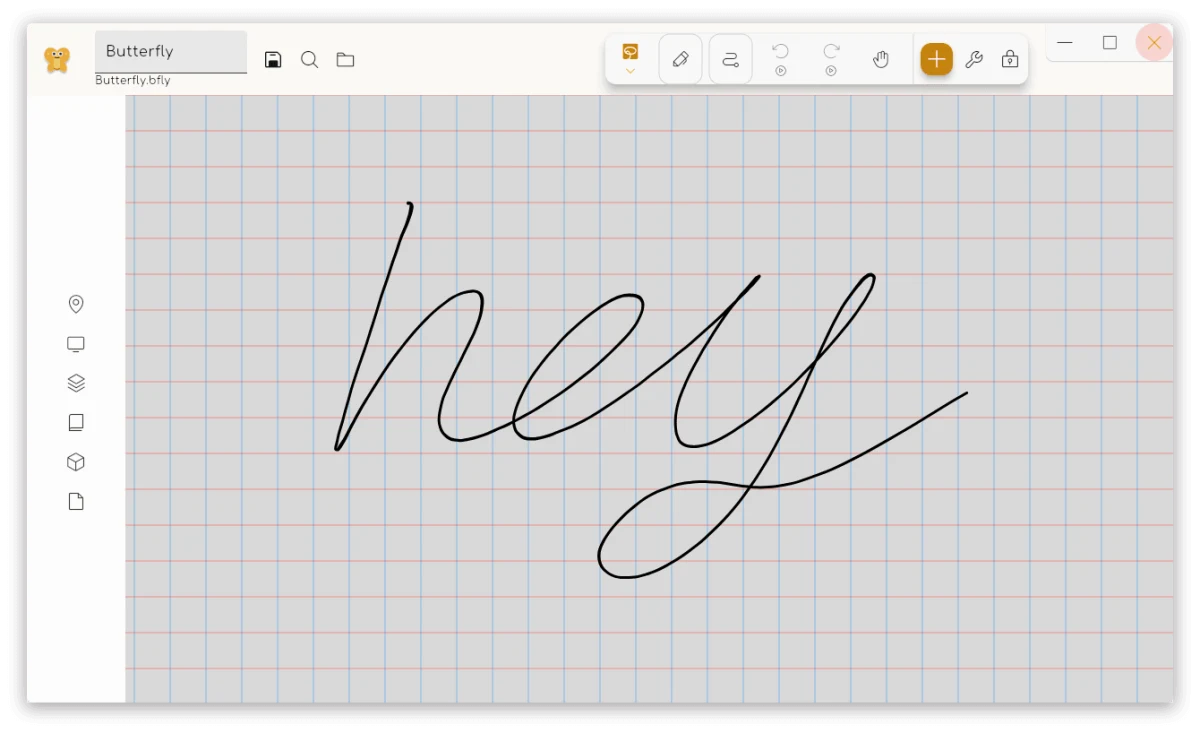
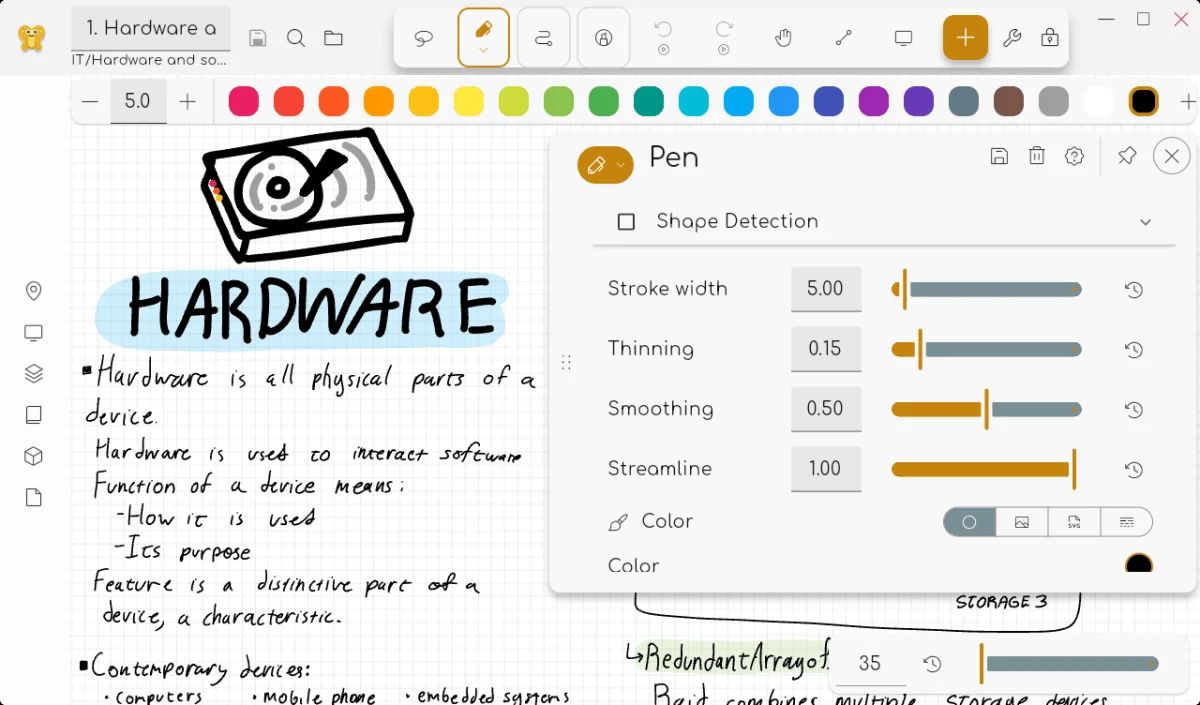
Linwood Butterfly gives you an open canvas for drawings, diagrams and layouts. You can sketch with touch or a stylus, add shapes and text, import photos or SVG files, and move or resize the elements afterward. Pen settings include stroke width, colour, smoothing and shape detection. Layers, grids, rulers and reusable templates help organize a larger design.
The Android app is free and supports local work without an account or a subscription. You can export drawings as images, SVGs, PDFs or portable Butterfly documents. Optional WebDAV storage lets you use your own service for syncing files. Butterfly also supports handwriting and PDF annotation, so one canvas can combine a sketch with notes or source material. The iOS build is a separate preview distributed outside the App Store; the verified store download here is for Android.
What you can do
- Freehand drawing with touch or stylus
- Editable shapes and text
- Photo and SVG imports
- Pen smoothing and colour settings
- Layers, grids and rulers
- Image, SVG and PDF exports
Image credits
App icon
Linwood Butterfly by Linwood / CodeDoctorDE. Documentation images: CC BY-SA 4.0. Original publisher views unchanged; display copies may be resized or re-encoded under the same licence. Full licence, credits and pinned originals are available. Independent description; no endorsement.
Screenshot 1
Butterfly publisher shared-interface view of a drawing canvas and grid
Linwood Butterfly by Linwood / CodeDoctorDE. Documentation images: CC BY-SA 4.0. Original publisher views unchanged; display copies may be resized or re-encoded under the same licence. Full licence, credits and pinned originals are available. Independent description; no endorsement.
Screenshot 2
Butterfly publisher shared-interface view of pen width, smoothing and colour controls
Linwood Butterfly by Linwood / CodeDoctorDE. Documentation images: CC BY-SA 4.0. Original publisher views unchanged; display copies may be resized or re-encoded under the same licence. Full licence, credits and pinned originals are available. Independent description; no endorsement.
Screenshot 3
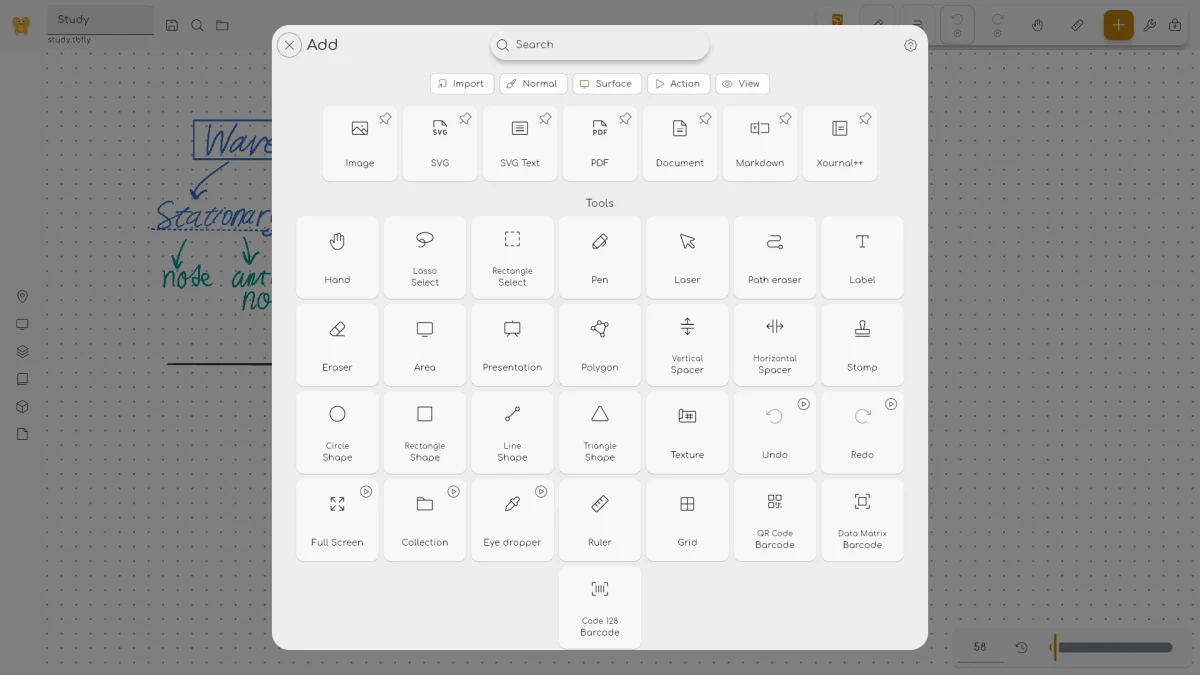
Butterfly publisher shared-interface view of the Add and tool chooser
Linwood Butterfly by Linwood / CodeDoctorDE. Documentation images: CC BY-SA 4.0. Original publisher views unchanged; display copies may be resized or re-encoded under the same licence. Full licence, credits and pinned originals are available. Independent description; no endorsement.